Your bank,
your keys.
Bank sync runs through Enable Banking: consent happens at your bank, Tracky imports accounts, balances and movements. Each user connects their own app and keys — maintainers never see bank credentials. If the provider is not configured, connect stays disabled. The hosted demo ships without it: manual accounts + CSV carry the show.
You want your spending tracked without typing every receipt, and this PSD2 bank sync budget app gives you exactly that on your own server. You connect your bank through Enable Banking, you approve access at your bank, and Tracky pulls in your accounts, balances, and movements. You never hand your bank login to Tracky, and maintainers never see your credentials. You stay in control after the connection too. You give each account a friendly alias, you hide accounts you do not want in Dashboard totals, and you switch sync off per account without losing history. You renew consent when the bank asks, and import history shows you what arrived and what was skipped as a duplicate. This page is honest about one limit up front. Bank sync is self-host only and disabled on the hosted demo, where manual accounts and CSV carry the show. On your own instance you bring your own Enable Banking app keys, and if the provider is not configured the connect button stays disabled. You still get the full picture where it matters. You open each cash or credit account in its own ledger and you check All Accounts for the shared view. Each account keeps its own currency as reported by the bank, and card accounts stay listed as liabilities, never as cash.
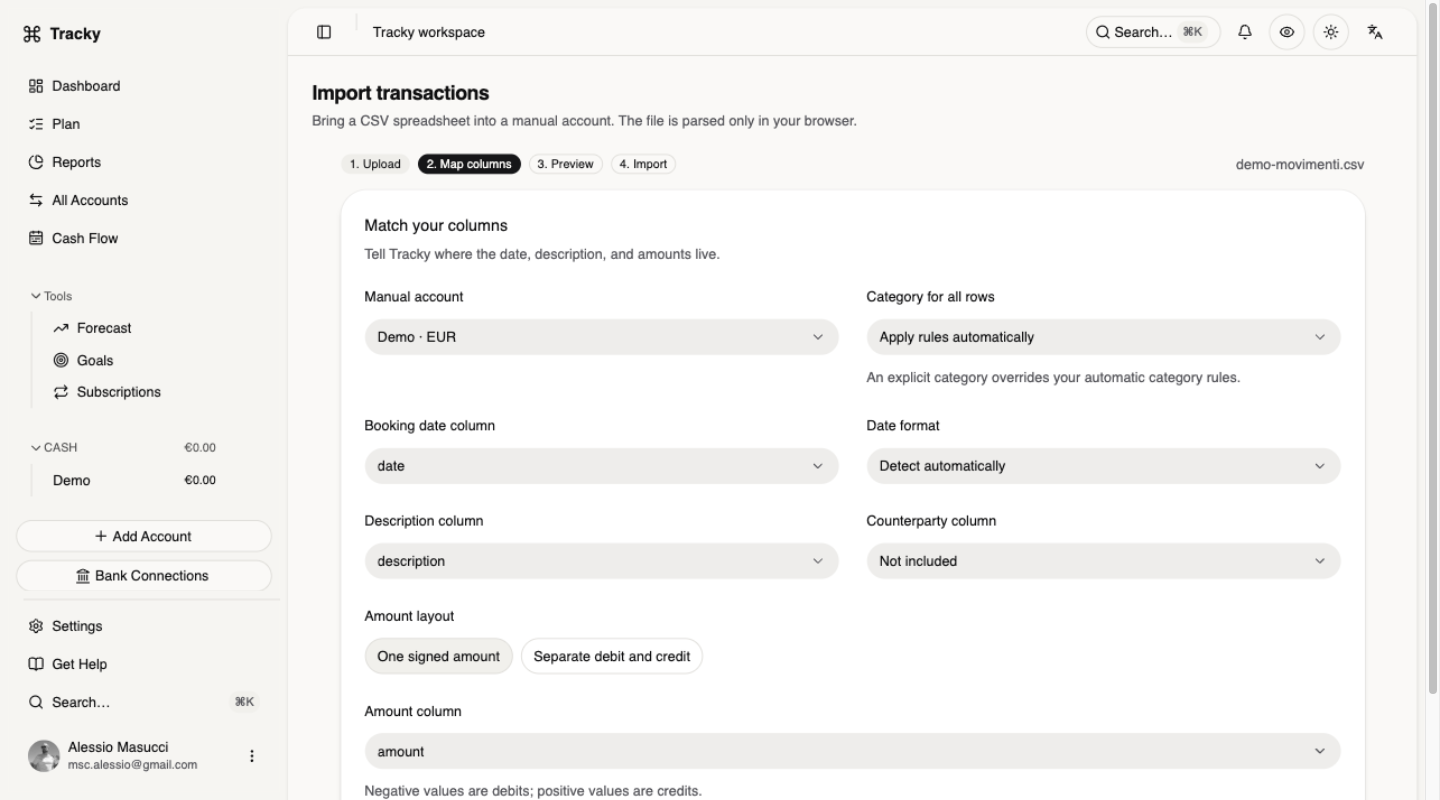
What this PSD2 bank sync budget app does
You link your bank once and Tracky keeps your money picture fresh, with accounts, balance snapshots, and movements grouped in the sidebar as Cash, Credit, and Loans. You open any cash or credit account for its own ledger, you use All Accounts for the shared view, and you rename accounts with aliases without touching provider data. You hide accounts you want out of Dashboard totals while keeping them stored, and you add manual accounts for cash, cards, or loans your bank does not expose. You always see sync status — active, disabled, failed, or waiting for renewed consent — so nothing ever updates silently.
How it works, step by step
You open Settings → Bank Connections and pick your bank from the list. You log in and approve access at your bank, not inside Tracky, then you return and Tracky creates the connection and imports accounts with currency, status, and balance snapshots. You let automatic checks run every six hours and you request a refresh on any account whenever you want a fresh look, renewing consent when the bank asks or when you see Reconnect. You check import history when numbers surprise you, since it shows items seen and imported, and gaps usually mean duplicates were skipped or the bank has not published new data yet.
Honest limits: self-host only, disabled on the demo
You deserve the full truth before you click anything, so here is the badge: Self-host only; DISABLED on hosted demo; bring-your-own Enable Banking keys. You can use bank sync only on an instance where the provider is configured with your own Enable Banking app keys, and you will find the connect button disabled wherever keys are missing. You explore the hosted demo through manual accounts and CSV import with column mapping instead, which is an honest fallback that works everywhere. You revoke access anytime at your bank, and you can switch sync off per account inside Tracky without deleting history.
Who it is for
You love automation but you still want control over your data and the keys that touch it. You run Tracky yourself or plan to, you are comfortable creating an Enable Banking app and adding its keys to your instance, and you hold accounts at banks that share data over PSD2. You track cash, cards, and loans side by side and you like aliases, hidden accounts, and per-account ledgers, with CSV import covering wherever sync cannot reach. If that sounds like you, self-host Tracky, connect your bank, and renew consent without drama when it expires.
Questions, answered.
Does this PSD2 bank sync budget app work on the hosted demo?
No. Bank sync is self-host only and stays DISABLED on the hosted demo by design. You explore the demo with manual accounts and CSV import instead. You get live connections only on your own instance, where you configure the provider with your own Enable Banking app keys.
Does Tracky store my bank login?
No. You authenticate and approve access at your bank through Enable Banking. Tracky never asks for your bank login, and maintainers never see your credentials. You can revoke access at your bank anytime, and you can also switch sync off per account inside Tracky.
What do I do when a sync fails?
You renew consent first when you see Reconnect or Authorization required. You open the job detail when the status is failed, then you retry later. Repeated refreshes cannot force the bank to publish new data. Availability still depends on the bank, even when your connection looks healthy.
Can I rename, hide, or pause an account?
Yes. You set an alias to rename how an account appears without changing provider data. You hide accounts you want out of Dashboard totals while keeping them stored and easy to restore. You switch sync off per account to stop future updates while keeping all history.
Which accounts get imported?
It depends on what your bank shares through Enable Banking. Tracky can only import accounts, balances, and movements the institution supplies. You cover the gaps with manual accounts and CSV import with column mapping. When the provider is not configured on an instance, the connect button stays disabled.